Free US shipping · Questions? +1 (747) 281-2317


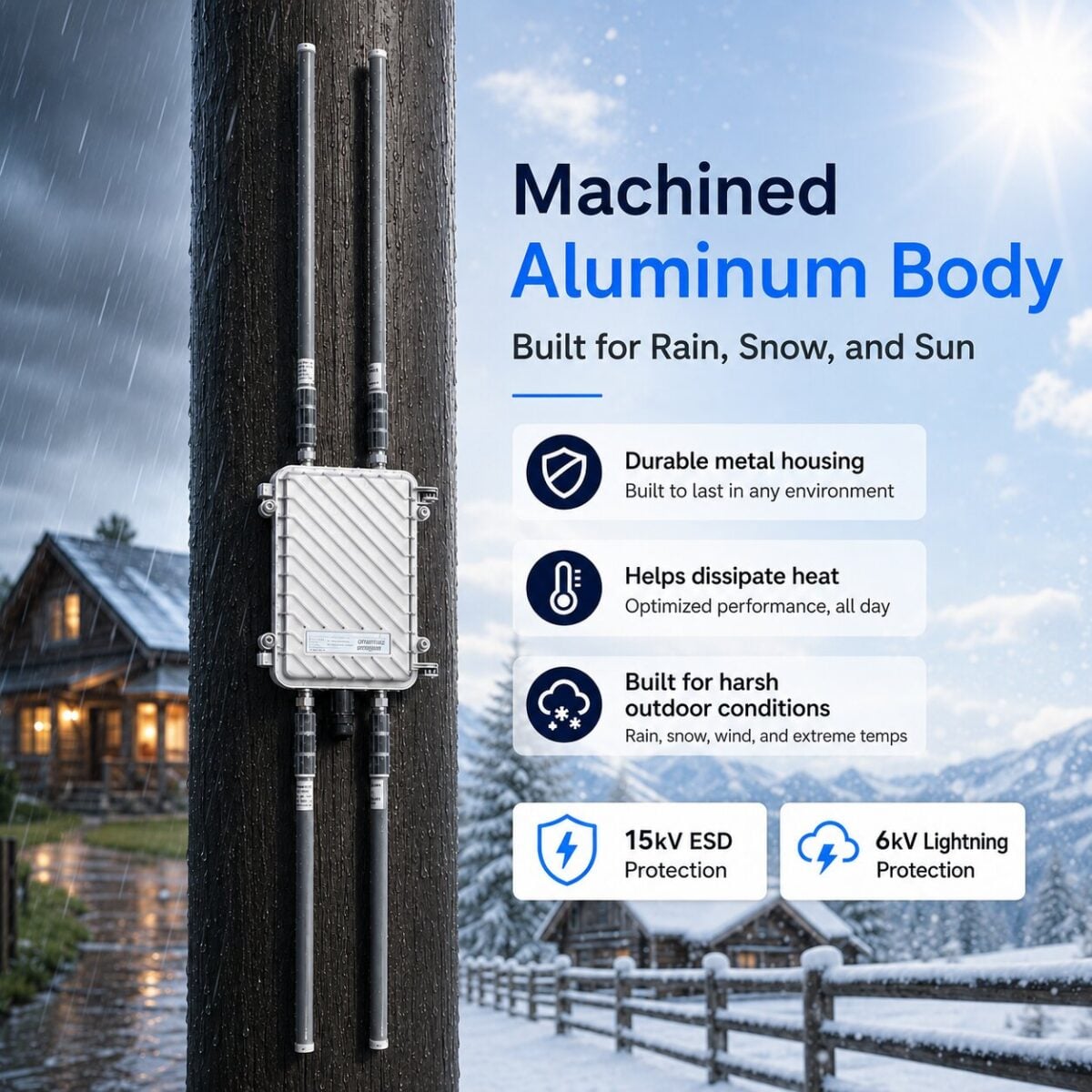
Yes. Beam Outdoor WiFi Extender is built for outdoor use and designed to perform reliably in harsh weather conditions. Its durable aluminum alloy body helps protect the unit from rain, sun, wind, dust, and changing temperatures, making it ideal for year-round outdoor installation.
It also includes 15KV ESD protection and 6KV lightning protection to help protect the device from electrical surges and weather-related interference.
For best performance, install the extender securely outdoors, keep the cable connections properly tightened, and avoid placing the unit where it can be submerged in water.
Once installed, Beam is made to keep your outdoor WiFi coverage strong through everyday weather conditions — from hot sunny days to heavy rain and storms.
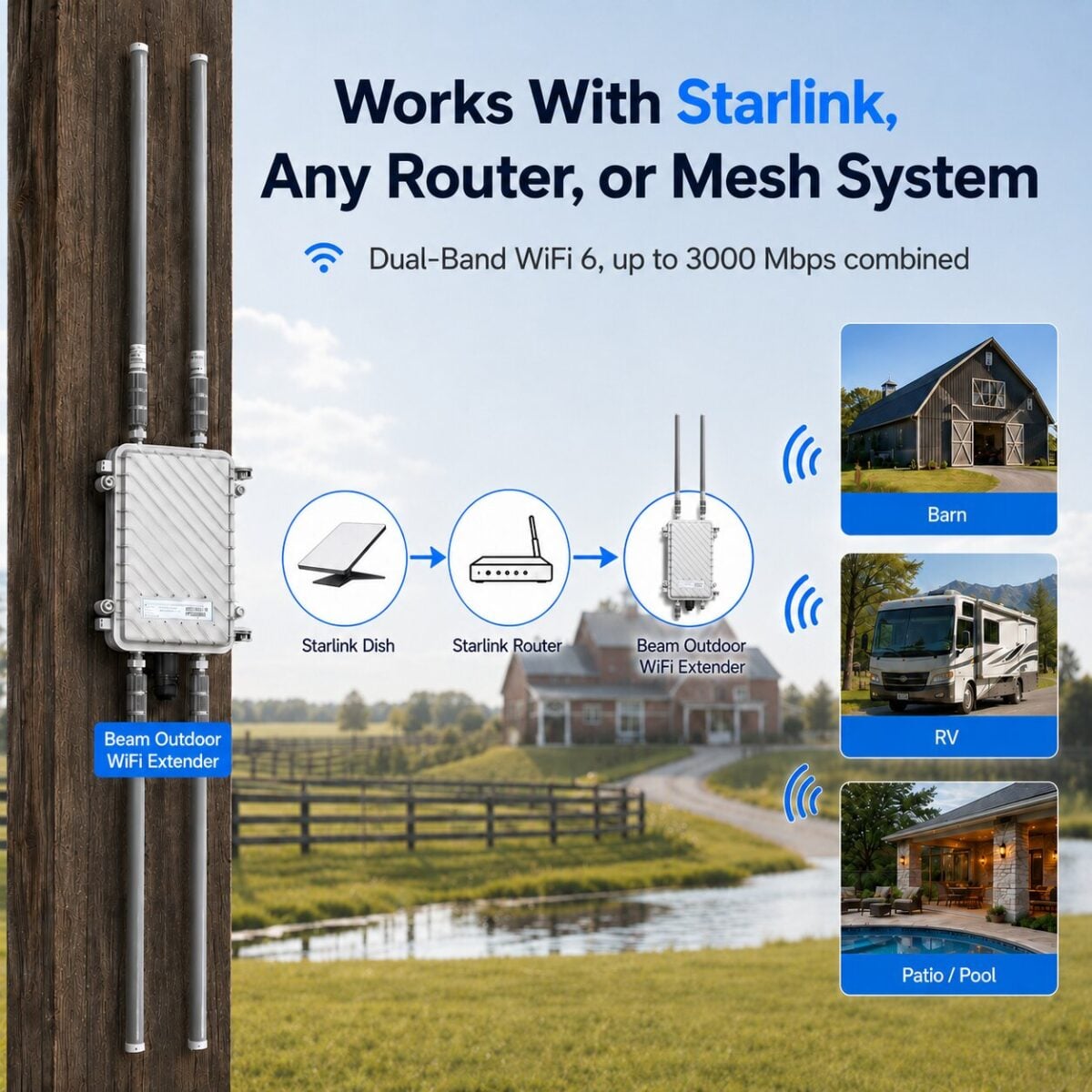
Yes. Beam Outdoor WiFi Extender works with Starlink. You can connect it wirelessly to your Starlink WiFi, or for the strongest and most stable connection, you can connect it with Ethernet.
Wireless setup: Connect Beam to your Starlink WiFi and place the extender outside facing the area where you need coverage.
Wired setup: Connect an Ethernet cable from your Starlink router or Starlink Ethernet Adapter into the Beam PoE adapter/LAN port, then connect the PoE port to the Beam outdoor extender. The PoE adapter powers the extender and sends internet through the same Ethernet cable.
Yes. Beam Outdoor WiFi Extender works with all standard WiFi routers and supports both 2.4GHz and 5GHz networks. You don’t need to buy a new router — it works with the router you already have.
You can connect Beam in two ways:
Wireless setup: Connect Beam to your existing WiFi network and place it outside facing the area where you need stronger coverage. This is the easiest setup.
Ethernet/PoE setup: Connect Beam to your router with an Ethernet cable for the strongest and most stable performance. This is recommended for security cameras, guest houses, barns, shops, RVs, and larger outdoor areas.
Here’s Link to Instruction Manual
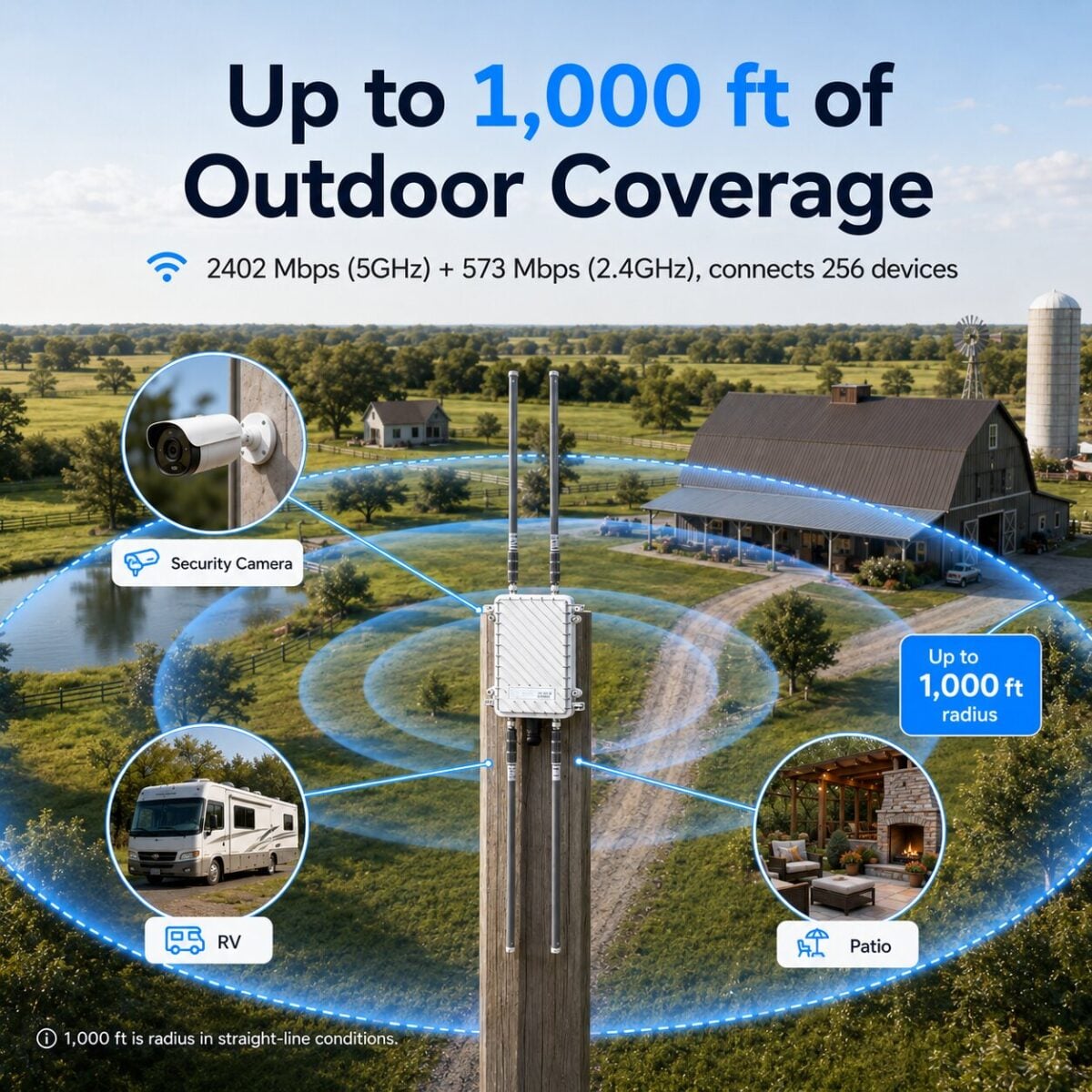
Extends outdoor coverage up to 1000 feet in a straight line in all directions from the extender, covering roughly 2,000,000 sq ft of outdoor space.
Perfect for backyards, gardens, patios, garages, farm lands and outdoor security cameras.
The 1000 ft figure is tested with clear line of sight. Walls, fences, dense trees, hills and metal buildings reduce range. Mount high and aim the antennas at the area you want covered for best results.
One thing worth knowing. WiFi works both ways. Beam’s four high gain antennas carry the full distance, but your phone or camera answers back with a small antenna and far less power. Near the outer edge that return trip is the limit, so a device can show strong bars and still feel slow. It shows up most on cameras uploading video and on video calls. Sensors, gate openers and smart plugs stay fine right to the edge.
Covering a large property, or want full speed the whole way out? Connect up to 6 Beam units in mesh mode. The long hop becomes Beam to Beam, both ends with high gain antennas and full power, and your devices only talk to the nearest unit. Mesh also relays signal past tree lines, barns and slopes.
For most customers, Beam Outdoor WiFi Extender is simple: use Wireless Repeater Mode for the easiest setup, or AP/Ethernet Mode for the strongest performance.
Wireless Repeater Mode: Best if you don’t want to run an Ethernet cable. Beam connects to your existing WiFi router wirelessly and extends the signal outdoors. This is ideal for quick setup and general outdoor coverage.
AP/Ethernet Mode: Best for maximum speed and stability. Connect Beam to your router using an Ethernet cable and the included PoE adapter. This is recommended for security cameras, guest houses, barns, shops, RVs, and larger outdoor areas.
Router Mode: Use this only if you want Beam to create and manage its own WiFi network from a direct internet connection.
Multi-unit setup: If you need to cover a very large property, farm, warehouse, or multiple outdoor areas, you can use more than one Beam unit for wider coverage.
For most homes and outdoor setups, we recommend AP/Ethernet Mode for the best performance, but Wireless Repeater Mode is the easiest option if you want a cable-free setup.
Definitely. Beam Outdoor Wifi Extender is designed for high-speeds of 3000 Mbps, low-latency connections so you can stream HD movies, join video calls, or game online without buffering or dropouts.
No, you don’t have to run an Ethernet cable. Beam Outdoor WiFi Extender can connect wirelessly to your existing WiFi and extend the signal outside.
For the easiest setup, simply connect Beam to your current WiFi network, install it outside facing the area where you need coverage, and you’re good to go.
For the best speed and most stable performance, we recommend using the included PoE/Ethernet setup. This gives Beam a stronger direct connection from your router and is ideal for security cameras, guest houses, barns, shops, RVs, and larger outdoor areas.
In short: wireless setup is quick and convenient, while Ethernet setup gives you the strongest possible performance.
No. The setup is quick and simple, just plug it in, connect to your router, and you’re ready to go in minutes. No tools or technical skills required.
Here’s Link to Instruction Manual
Absolutely. Many customers use it to power outdoor security systems, smart doorbells, and WiFi cameras, ensuring they stay connected without interruptions.
Yes. Our outdoor WiFi repeater is designed to support up to 256 users, allowing your family to connect phones, tablets, laptops, and smart devices simultaneously.
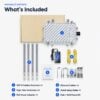
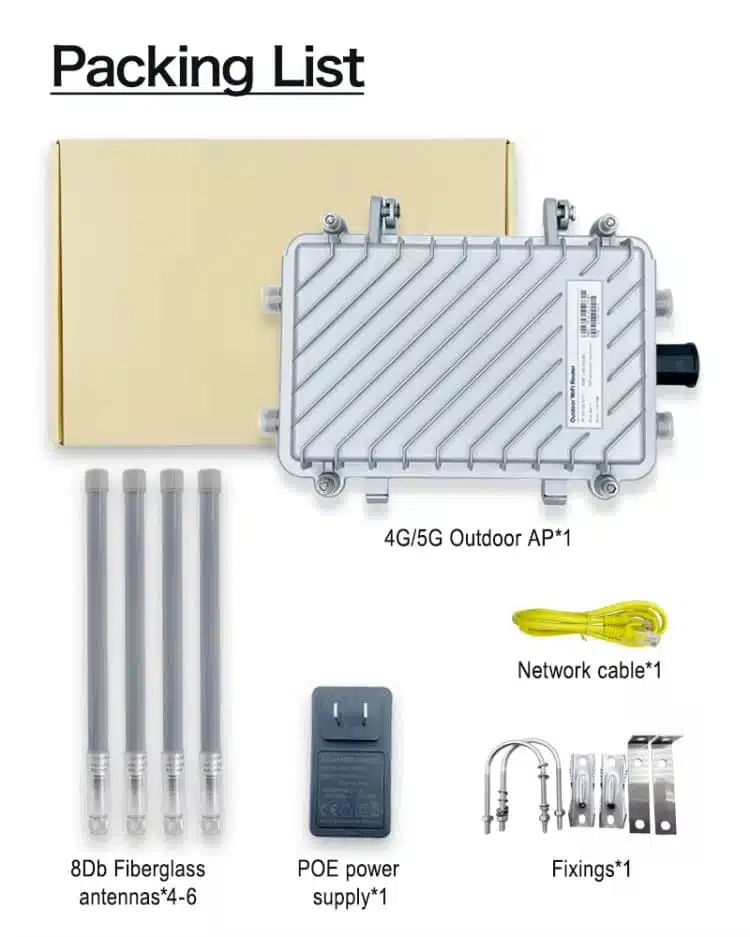
Systems includes everything to make it work.
1 × WiFi 6 Outdoor Extender
4 × Omni-Directional Antennas
4 × Cable Ties
1 × 5 Feet Ethernet Connector
1 × Quick Installation Guide
Set of Required Screws

Absolutely. We offer 2 years warranty, so you’re covered in case of any defects.
We offer a hassle-free 30 Day money back return policy. If the booster doesn’t meet your expectations, you can send it back for a refund.
● GET STARTED IN SIMPLE STEPS
No technician, no app, no tools beyond a screwdriver. Everything you need is in the box.
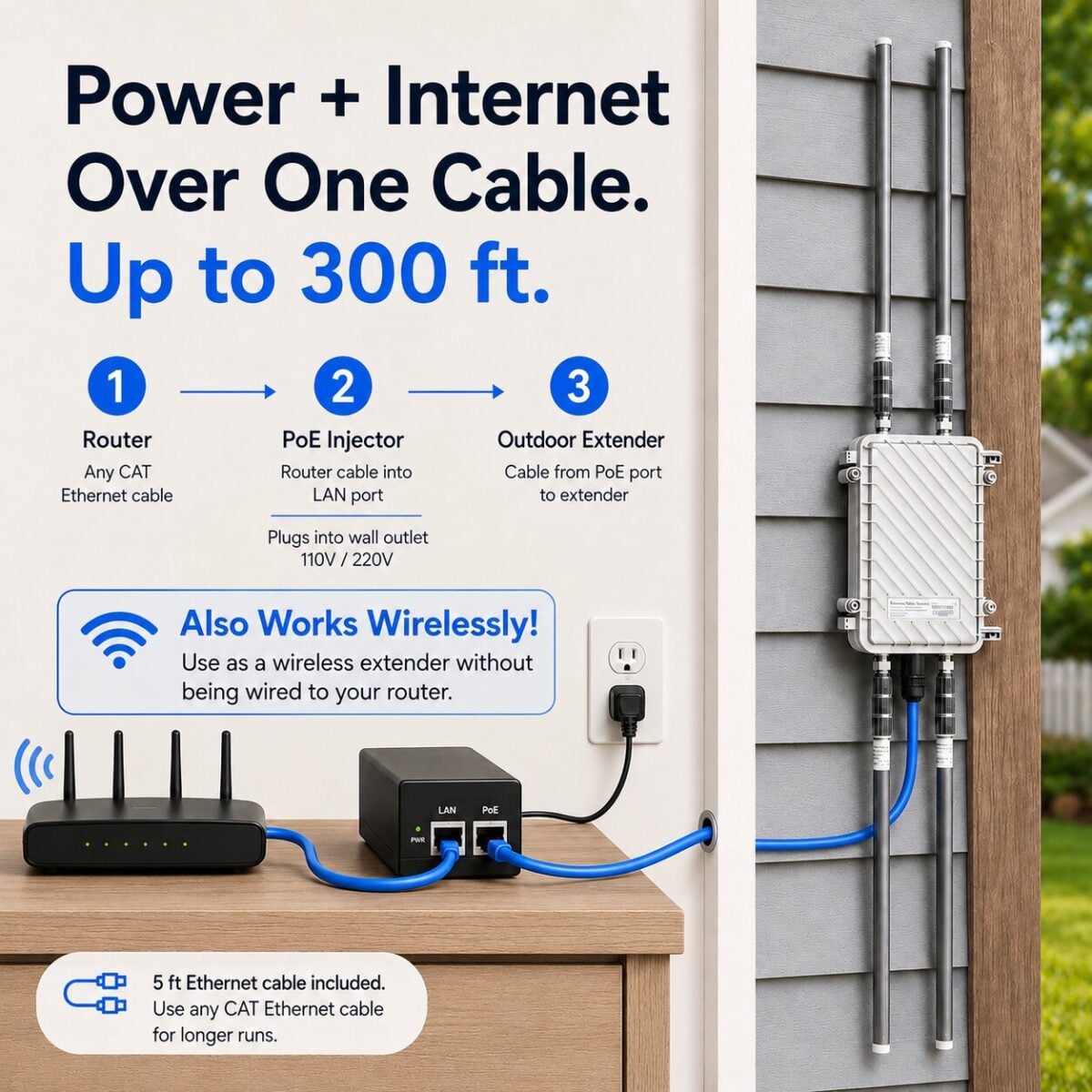
Outlet → PoE adapter ← Router. One Ethernet run, up to 320 ft, carries power and data outside.
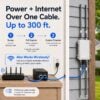
Connect your Beam Outdoor WiFi Extender to a power source using the PoE (Power Over Ethernet) Wall Adapter. You can run up to 320 feet of Ethernet cable between the adapter and the outdoor repeater. No complex setup, just plug and power on.
Pick a mode in the app. Watch what each one does — AP, Repeater, Mesh, or Router.
Connect to the Beam Outdoor WiFi Extender network and select your preferred mode.
You can either extend your existing WiFi network wirelessly or connect directly to your router via Ethernet to push the signal outdoors and beyond.
AX3000 captures your indoor router's weak signal and repeats it — strong coverage across the whole yard.
With a coverage area of 2 million square feet and speeds up to 3000 Mbps, you can stream, work, or game anywhere in your backyard, patio, or garden with a strong, stable WiFi connection.
WHERE IT EARNS ITS KEEP
Dish on the house, WiFi at the shop. The Beam 3000 pushes your Starlink connection to the buildings the router cannot reach.
Gate cameras, barn sensors, and a working signal on the tractor pad, without trenching cable across the lot.
Music, streaming, and video calls that hold up at the far end of the yard, not just by the back door.
Give every pad a real connection from one mounted unit. 256 devices means guests do not fight for slots.
Cameras only protect what they can upload. Stable signal at the fence line keeps every feed live.
Full-speed WiFi in the casita or garage apartment with zero new wiring and no second internet bill.
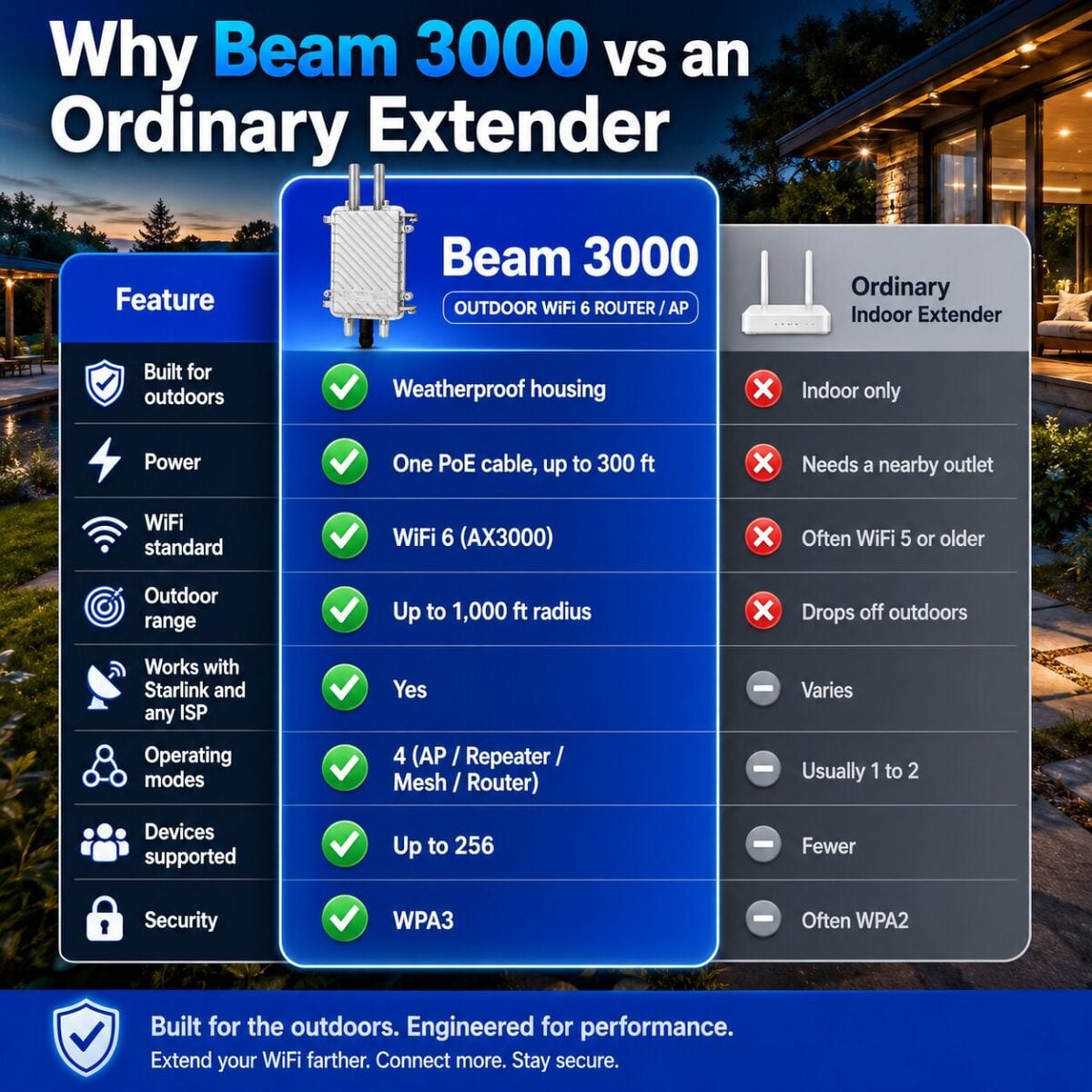
BEAM 3000 VS OTHERS
A fair look next to typical outdoor extenders sold on marketplaces.
ZERO-RISK PURCHASE
If the Beam 3000 does not fix your dead zones outside, send it back for a full refund. Hassle-free returns, a 2-year warranty, and a US support line that picks up the phone.
Beam Boost your outdoor connection with the AX3000 Dual Band WiFi 6 Repeater. Enjoy blazing speeds of 2402 Mbps (5GHz) + 573 Mbps (2.4GHz) and coverage up to 1000 feet radius. With 4 high-gain antennas and multiple modes (AP/Repeater/Mesh/Router), you’ll get seamless streaming, gaming, and browsing—rain or shine.
Say goodbye to clutter and power hassles—this Beam Outdoor WiFi Extender delivers internet + power through a single cable. With PoE support, waterproof protection, and gigabit speeds up to 320 ft, it’s built for reliable outdoor performance. Perfect for farms, homes, and businesses—get strong WiFi, anywhere you need it.
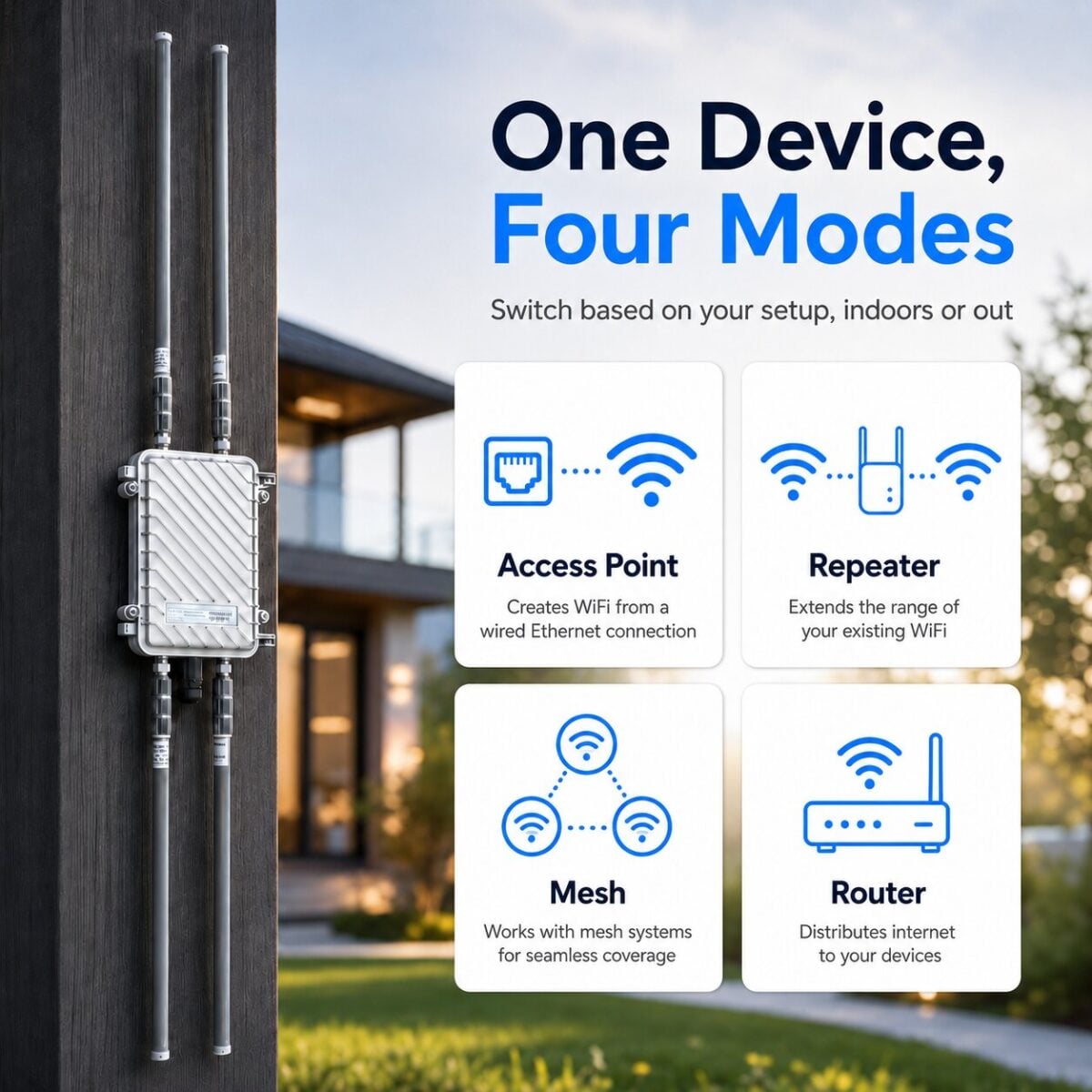
The AX3000 WiFi Outdoor Repeater adapts to your needs with 4 flexible working modes.
AP Mode: Converts a wired internet connection into a wireless WiFi network.
Repeater Mode: Extends and boosts the range of an existing WiFi signal to cover dead zones.
Mesh Mode: Connects multiple devices into a single seamless WiFi network with automatic roaming.
Router Mode: Distributes internet from a modem to multiple wired and wireless devices.
Whether it’s your home, farm, or business get strong, reliable WiFi the way you want it.
With Point-to-Point (PTP), enjoy stable wireless links up to 3km / 1.9 miles in open areas. Perfect for connecting remote cameras, barns, or outbuildings. Need more coverage? Use Point-to-Multipoint (PTMP) mode to support up to 6 receivers and deliver strong WiFi across farms, villages, or large outdoor spaces. One device, limitless possibilities.
The Beam Outdoor WiFi Extender delivers a stronger signal with coverage up to 2 Million sq Feet and the power to connect up to 256 devices at once. From homes and offices to farms and outdoor events, enjoy wider coverage, faster speeds, and reliable connections
Stay connected rain or shine with a WiFi repeater designed for the outdoors. Featuring 15KV ESD protection, 6KV lightning protection, and IP67 waterproof casing, it’s built to withstand storms, heavy rain, and dusty environments—keeping your network strong and reliable no matter the conditions.
Answer five quick questions. We’ll recommend the right Beam 3000 setup, mode, and quantity.
Model WL288 · AX3000 · Dual-Band 2.4G + 5.8G
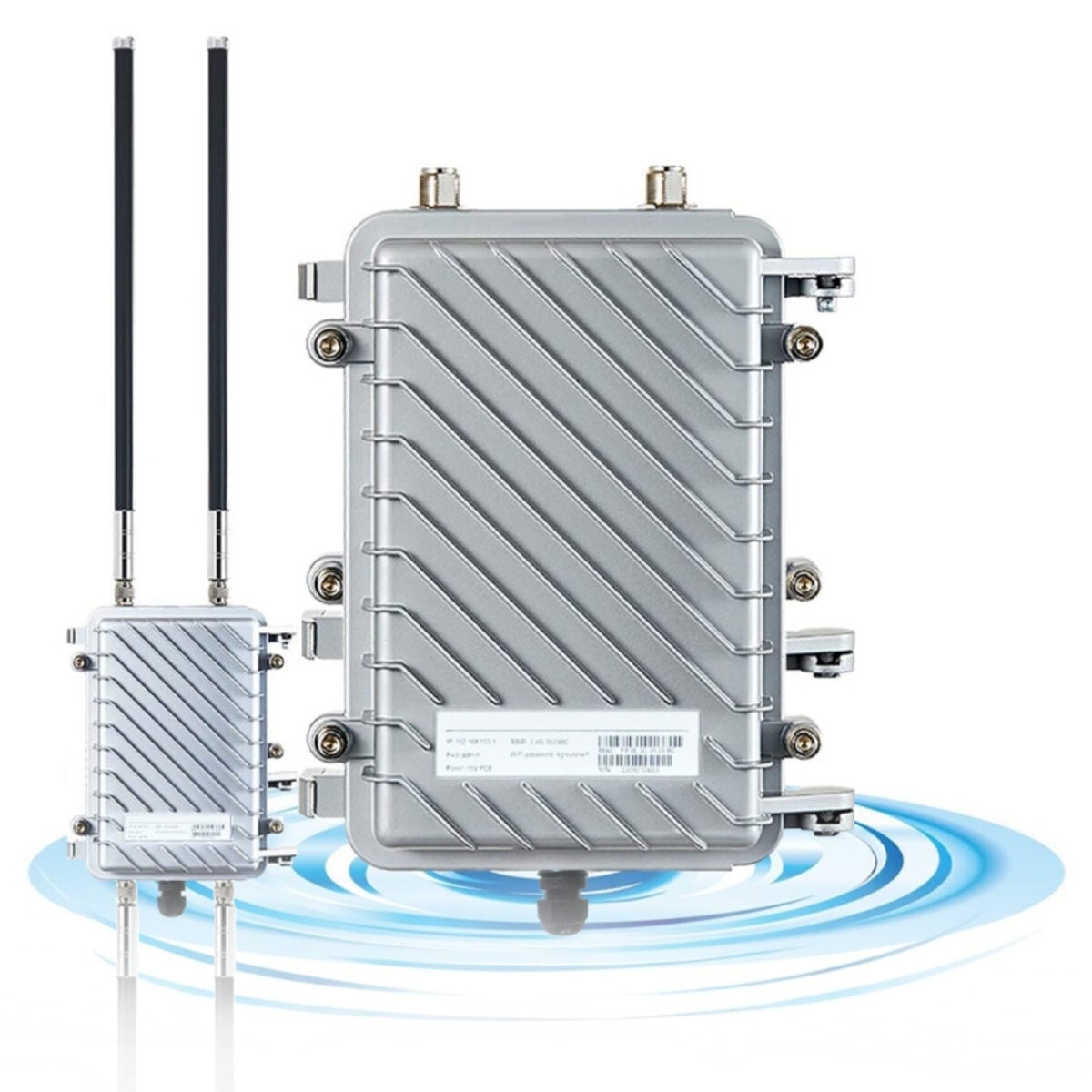
Hardware overview of the WL288 WiFi6 Outdoor Dual-Band AP
| Feature | Specification |
|---|---|
| WiFi Standard | IEEE 802.11a/b/g/n/ac/ax (WiFi 6) |
| Frequency Bands | 2.4 GHz + 5.8 GHz simultaneous dual-band |
| Max Data Rate | AX3000 (2402 Mbps 5GHz + 573 Mbps 2.4GHz) |
| PoE Input | 802.3AT / 802.3AF standard, or DC 48V/0.5A non-standard |
| Management IP | 192.168.62.1 |
| Domain Login | setup.wifi.net |
| Default Password | admin |
| Default SSID | WiFi-AX_XXXX |
| Operating Modes | AP / Repeater / WISP / Mesh Master AP / Mesh Master Route / Mesh Slave Route |
| Max Mesh Slaves | 6 devices (recommended: 4 for stability) |
Understand what the LED pattern means for each operating mode
| Mode | LED Pattern | Meaning |
|---|---|---|
| Route / Mesh Master AP Mode | ||
| Route / Mesh Master AP | Fast Blink | No internet connection |
Slow Blink | No internet / Device in pairing state | |
Solid On | Connected to internet ✓ | |
| Mesh Slave Route Mode | ||
| Mesh Slave Route | Fast Blink | No internet / Not connected to Mesh Master |
Slow Blink | In pairing state | |
Slow Blink | Connected to Master but no internet | |
Solid On | Connected to Master & internet ✓ | |
| AP / WISP / Repeater Mode | ||
| AP / WISP / Repeater | Fast Blink | No internet / Not connected to upstream router |
Slow Blink | Connected to upstream router, no WAN | |
Solid On | Connected to upstream router & internet ✓ | |
Solid On = everything working. Any blinking = investigate internet connectivity or pairing status.
After factory reset, LED goes out briefly then device reboots — this is normal.
Physical interface reference for the WL288
| Name | Description & Behavior |
|---|---|
| WAN/LAN (PoE) | Standard PoE 802.3AT / 802.3AF Non-standard DC 48V / 0.5A adapter Mesh Master Port acts as WAN port Other modes Port acts as WAN port |
| Pair Button short press | Hold 2 seconds to start Mesh pairing. Used to add Slave devices to an existing Mesh network. |
| Reset Button long press | Hold 5+ seconds to restore factory defaults. LED goes out — release when it does, wait for reboot. |
| Antennas ×4 | Two ports for 2.4GHz, two for 5.8GHz. Attach all four included antennas before powering on. |
After saving routing mode config, the WAN/LAN port becomes WAN only. You cannot access the management interface via wired connection anymore. Switch to WiFi to continue.
Cable routing, weatherproofing, antenna attachment, and pole mounting
Four wiring options for powering and connecting the device
If using routing or AP function: Complete mode configuration before connecting PoE supply "LAN" to your upstream router's LAN port.
Access the management interface and complete first-time configuration
Default admin password: admin
When first connecting wirelessly, a login page may auto-appear. If not, manually navigate to 192.168.62.1 in any browser.
Routing mode warning: After saving, WAN/LAN port becomes WAN only — management interface no longer accessible over wired. Connect via WiFi.
Choose the right mode for your deployment
| Type | When to Use |
|---|---|
| PPPOE | Broadband dial-up — requires ISP username and password |
| DHCP | Standard Ethernet — IP assigned automatically |
| STATIC | ISP has assigned you a fixed IP address |
To switch from Mesh Slave Route mode to any other mode, factory reset the device first.
Multi-device setup for extended whole-property coverage
Capacity: One Master supports up to 6 Slave devices. Recommended max: 4 for stability. Pairing time: ~2 minutes per device.
Troubleshooting tips for the WL288 AP
With the device powered on, press and hold the reset button for more than 5 seconds. Release it after the LED light turns off, and then wait for the device to automatically restart to restore factory default status (default password is admin).
| Category | Enterprise Wireless APFull Device Specifications |
|---|---|
| Main Chipset Architecture | MediaTek Filogic 820 (MT7981B + MT7976CN + MT7531AE) High-performance enterprise-level communications chip |
| CPU & Frequency | Quad-core ARM® Cortex-A53 MPCore™ @ 1.3GHz |
| Memory & Flash | 256MB RAM / 128MB Flash Storage |
| Device Interfaces |
WAN PoE ×1 (10/100/1000Mbps adaptive) External 2.4G N-type female connector ×2 External 5G N-type female connector ×2 |
| Buttons & Controls | Reset button Hold for 6 seconds to trigger factory reset |
| Wireless Technology |
Wi-Fi 6 Dual-Band 2×2 Concurrent
|
| WiFi Frequency Range |
2.4G: 2.4–2.4835GHz 5G: UNII-1 (5.15–5.35GHz), UNII-2 (5.47–5.725GHz), UNII-3 (5.725–5.825GHz) |
| WiFi Channels Supported |
2.4G: Channels 1–13 5G: Channels 36, 40, 44, 48, 52, 60, 64, 149, 153, 157, 161, 165 |
| Modulation Schemes | 802.11b: DSSS (DQPSK, DBPSK, CCK) 802.11g/n/ac: OFDM (BPSK, QPSK, 16-QAM, 64-QAM, 256-QAM) 802.11ax: OFDMA (BPSK, 256-QAM, 1024-QAM) |
| Transmission Rates |
11b: up to 11Mbps | 11g: up to 54Mbps | 11n: up to 300Mbps 11ac: up to 864.7Mbps | 11ax: up to 573Mbps (2.4G) / 2402Mbps (5G) |
| Power Supply Syntax | 48V 802.3af/at Power over Ethernet (PoE) |
| Antenna Configurations | 4x High-Gain Omni Directional Antennas |
| Environmental Tolerances | Operating: -40℃ to 50℃ | Storage: -50℃ to 70℃ Humidity: 10%–90% Operating / 5%–90% Storage (Non-condensing) |
| Dimensions & Weight | 235 × 155 × 80 mm Weight: 1150 g |
| Transmit Power Settings |
11b: 23 dBm @11Mbps | 11g: 20 dBm @54Mbps 11n/ac/ax (20/40/80MHz bands): 17 dBm max outputs |
| Receiver Sensitivity (2.4G) |
|
| Receiver Sensitivity (5G) |
|
| Working Profile & Capacity | Integrated Fat-Thin Hybrid AP Architecture Up to 256 associated devices (128 concurrent active users recommended). |
| Management Interfaces | Localized English Web Panel UI / Remote Cloud Platform / Smartphone Mini Program |
| Device Telemetry Status | Real-time CPU tracking, remaining memory availability, active user index count, hardware diagnostics info, running logs |
| LAN & DHCP Settings | Auto/Static IP configuration, customizable WAN/LAN VLAN mapping, MAC address overridesDHCP Profiles: Disabled / Normal / Advanced allocation rules |
| Topology Profile Changes | Router Mode or Access Point (AP) structural switching, isolated DHCP server toggles |
| Wireless Configuration Options |
|
| Network Diagnostic Utilities |
ARP Table Matrix (IP, MAC, hardware interface assignment, unique/static statuses, structural XML data import/export) Built-in ping utilities and hop-by-hop TraceRoute diagnostic panels |
| AC Platform Client Integration | AC Server endpoint target binding, unified logical group naming conventions, automated user caps, global wireless TX control, AP isolation policies, structural DHCP defenses, connection state monitoring |
| System Level Operations | Configuration file Backup/Import, master factory default triggers, firmware local flashing, immediate/automated scheduled cron reboots, systemic layout identity tracking (Project / Device / Hostname / Internal Domain namespaces) |